01
It asks once before it joins.
A new agent connection shows up as a card in your window. Until you press Allow it learns nothing about your sessions: no tab list, no screen, no names. The answer belongs to that one live connection.

 Connv0.9.0 · Preview
Conn is a terminal you share with the agent you already use. It sees the screen you see, asks before it types, and lets go the moment you touch a key.
brew install --cask eggp-dev/tap/conncurl -fsSL https://conn.eggp.dev/install.sh | shOne continuous take: a real SSH login, a real Claude Code session, real Conn.
Prepared scenario on a disposable server; still moments shortened. Recorded with an earlier version that reviewed every SSH command; current Autopilot follows command policy.How it was recorded →
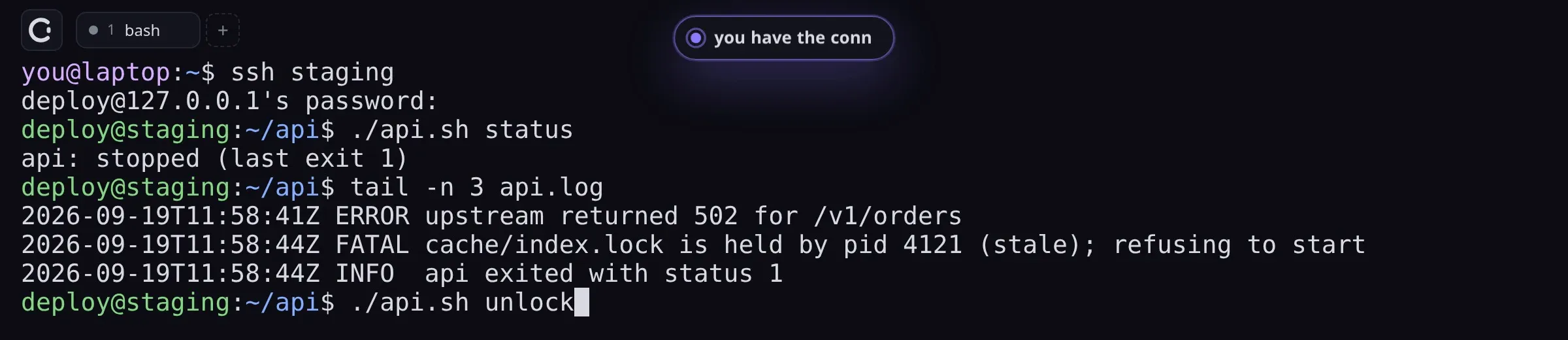
Your password never reaches your agent.
Until you allow it, it learns nothing about your sessions.
You see the exact line and what the agent says it is for.
The card is waiting. So is the keyboard.
Your keystroke takes the terminal back.
The cache is intact, control is back with you, and there is a record.
Press any key to take the keyboard backTap the terminal to take the keyboard back
The same take as the film above, at its recorded speed. Only the size was changed.
A new agent connection shows up as a card in your window. Until you press Allow it learns nothing about your sessions: no tab list, no screen, no names. The answer belongs to that one live connection.
The agent types; running is a separate step you can see. Deletes, force pushes and privilege changes stop for your approval with the exact line and the agent's stated intent. POSIX SSH follows the same command rules; remote files are not inspected.

Any keystroke takes control back at once. A pending approval is denied and the half-typed line is cleared before your input arrives, so nothing the agent started can run under your hands.
Text you type without echo never reaches a snapshot, and concealed text is removed from what the agent reads.
Control is a revocable lease per tab. Agents cannot take it from you or from each other; you can always take it from them.
Who asked, what ran, what you approved or denied, in a timeline next to the terminal and an audit log on disk.
Your SSH sessions, your environment, your history. The agent works where the problem is, not in a container that resembles it.
Conn runs no model and has no account. It speaks MCP to the agent client you already pay for.
Notarized on macOS, checksums for every file, and in-app updates verified against a signing key before they install.
It is a normal terminal. Use it the way you use any other.
Settings → Agents → Set up writes the MCP entry for your client. No tokens, no cloud.
“Look at my Conn terminal and fix the failing build.” The agent reads the screen, asks for control with a reason, and works while you watch.
Works withClaude CodeCodexCursorGitHub Copilot
Free and open source. The desktop app includes the CLI your agent connects through.
x64 AppImage · checksum verified, installs to ~/.local
curl -fsSL https://conn.eggp.dev/install.sh | shx64 installer
Install, connect an agent, take turns.
What Conn protects, and what it does not claim.
Subscriptions, platforms, privacy, limits.
The local socket every agent speaks.
Not a sandbox. Commands run as you, in your shell, and a command you approve does what it says. Conn does not defend against malicious software already running as your user. It is a preview: macOS on Apple Silicon, Windows x64 and Linux x64.
brew install --cask eggp-dev/tap/conncurl -fsSL https://conn.eggp.dev/install.sh | sh